
Case Study
Nodebook
A node-based AI chat for iPad and Mac. Every conversation lives on an infinite canvas. Branch any message, fan out parallel threads, run different models on different branches.
Case Study
A node-based AI chat for iPad and Mac. Every conversation lives on an infinite canvas. Branch any message, fan out parallel threads, run different models on different branches.
The Problem
When you push a model on something complex, you fork. Try this. What about that. Go back to the version before. In a linear thread, those forks become a search problem inside a long scroll. You lose the version you liked. You can't compare two replies side by side. You can't ask three models the same question without copy-pasting context across tabs.
I wanted a canvas. Every message is a node. Every reply is a child. Branch any message into a new thread. Fan out three siblings to compare three models on the same prompt.
That's Nodebook. It ships as v1.0 after twelve days of solo work.
The Bet
The photo, AirDrop, paste loop is broken. If I see something on my iPad and want to ask a model about it, I shouldn't have to bounce screenshots through Files. PencilKit on iPad means I can annotate, circle, point at the thing I'm asking about, and the model sees what I see. The drawing isn't a side feature; it's the input.
Per-branch model assignment changes how you experiment. If a hard prompt costs you nothing more than a fork and ten seconds, you'll try four versions instead of arguing with one of them. The canvas is the substrate. The models are the actors.
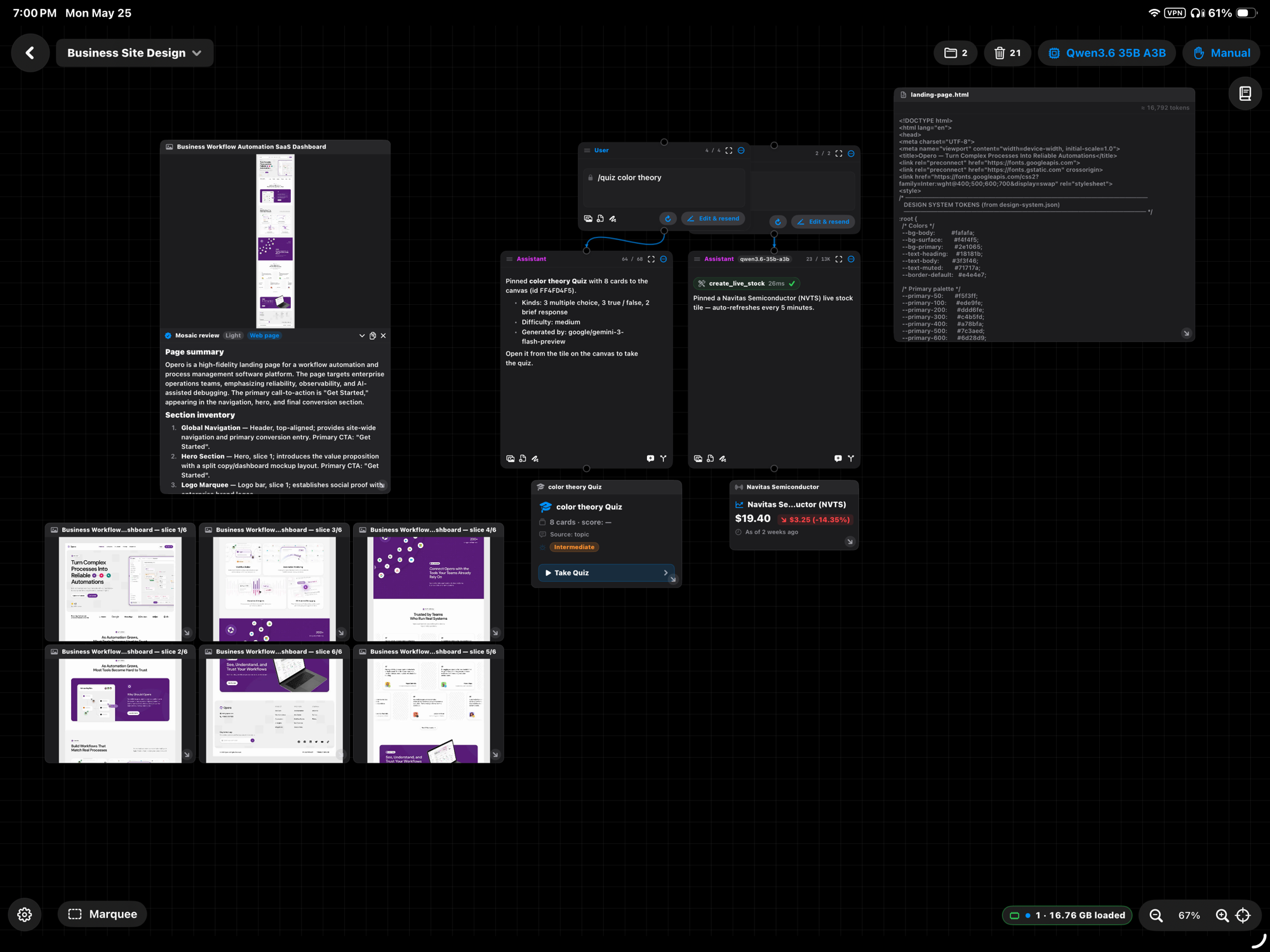
The canvas as the conversation. A prompt forks into siblings on different models, and tool results pin themselves in the surrounding space.
The Canvas
Pan, zoom, drag, snap-to-position all live in the same SwiftUI coordinate space. Nodes are SwiftUI views positioned in canvas coordinates. Edges are drawn by a custom layer that recomputes anchors when nodes move.
Every node has explicit input and output ports. Hover one with the cursor or Pencil and it lights up. Drag from one to another to thread them. Reply to a message and the canvas spawns a child node a comfortable distance below the parent. Fork to a new branch and you get a sibling. Both feel like physical actions because both use the same gesture pipeline as moving a node.
Even the markdown renderer is hand-rolled, because SwiftUI's built-in path has a trap with user-generated content.
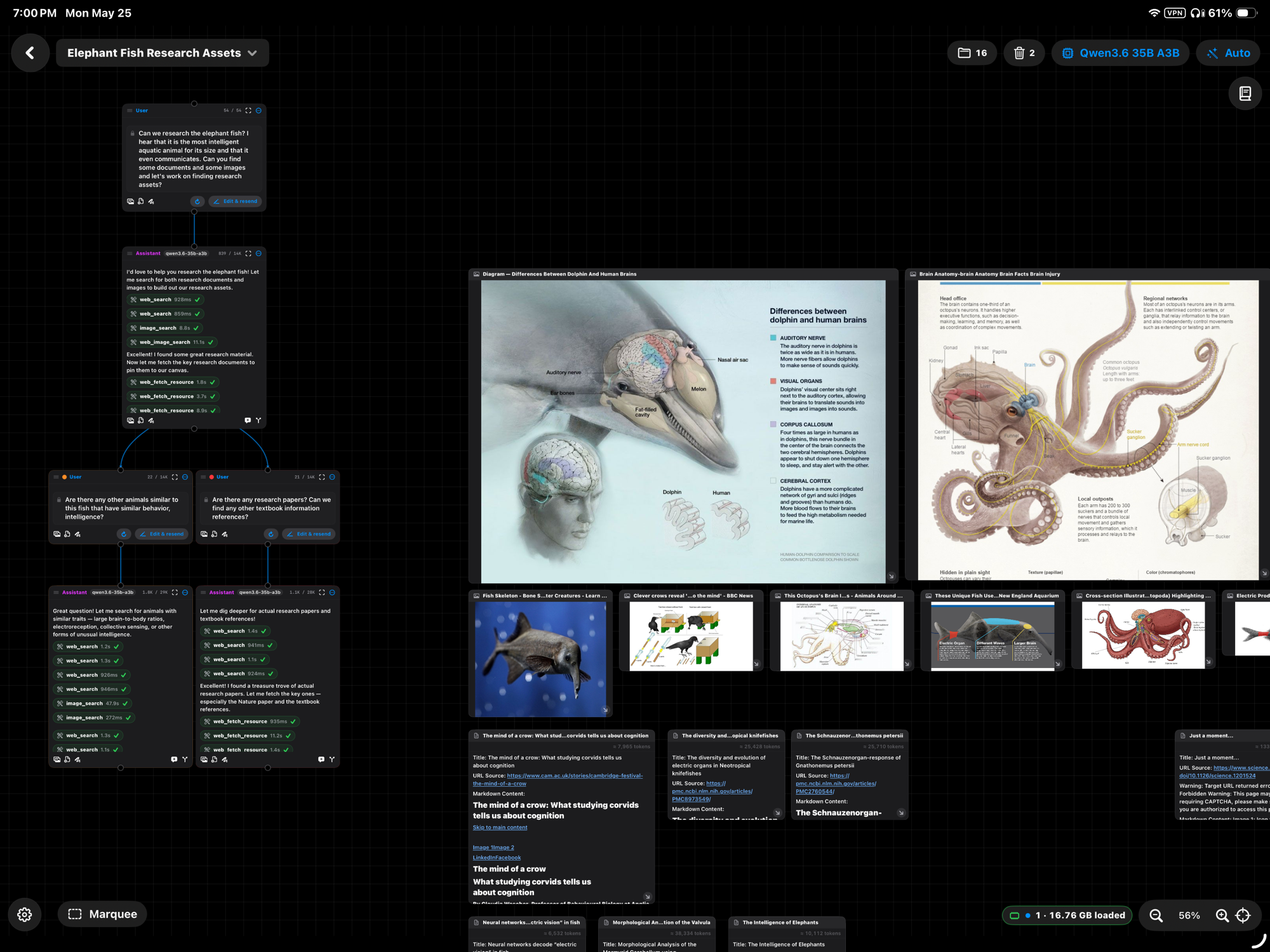
Tools run inline. Web searches, image lookups, and document fetches each return artifacts edge-linked to the node that called them.
Agentic Stack
Tools run inline: web search, file CRUD in a sandboxed per-session workspace, a calc family for math, a table family for canvas-pinned spreadsheets, image generation, vision-model inspection of large screenshots. RAG is local: drop a PDF, it gets parsed, OCR'd if image-only, chunked, embedded via LM Studio, and made available to subsequent chats. The notebook side panel lets the chat edit pages by line range, validated so a hallucinated line number can't corrupt the document.
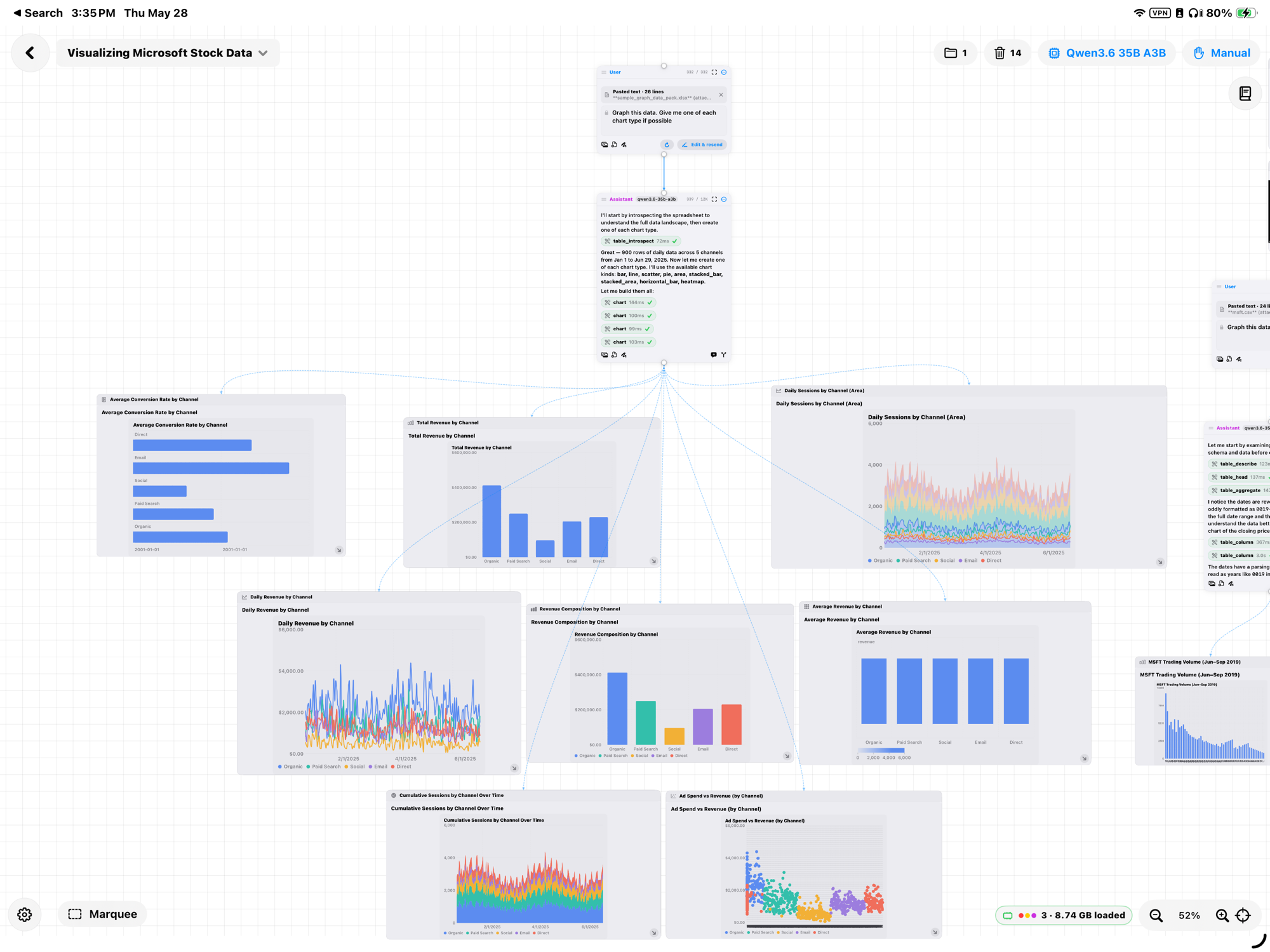
Chart family: nine chart types from one prompt
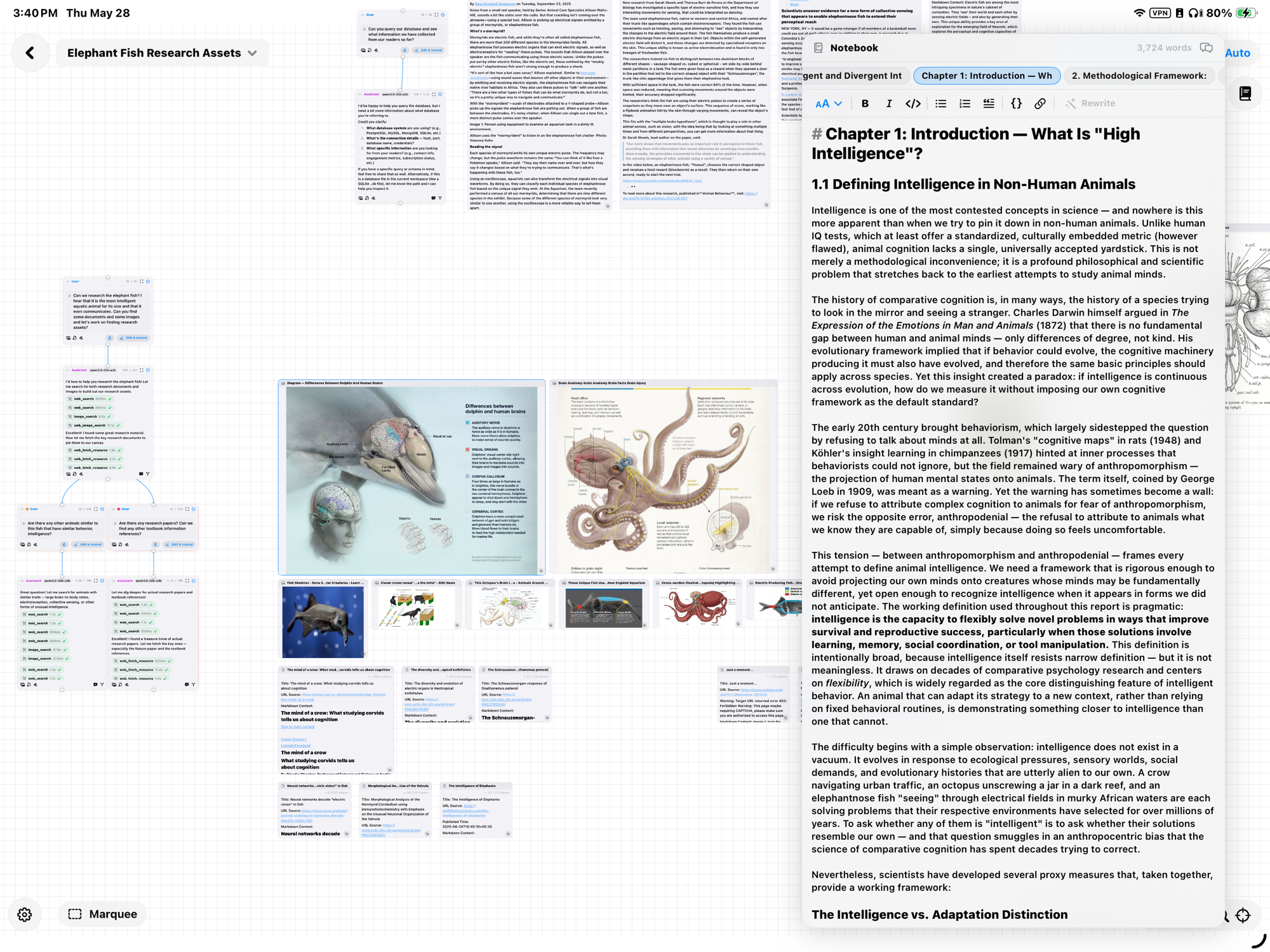
Notebook side panel with in-place AI edits
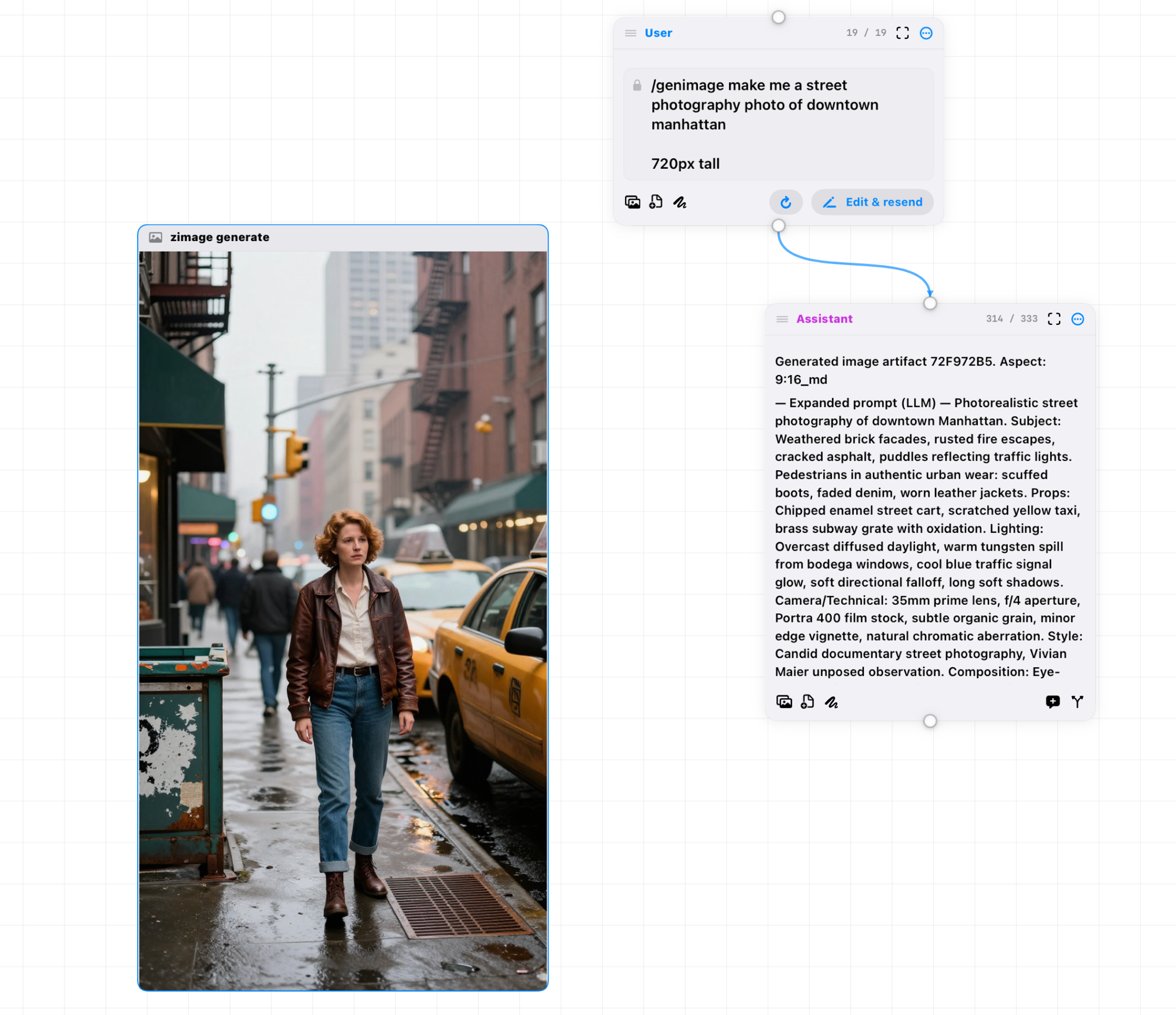
Image generation as an inline tool
Quiz Mode
The chat can quiz you on any pinned document. Cards come back with a color-coded difficulty chip (green Beginner, orange Intermediate, red Advanced). The chip is also a Menu: pick a different level and a sibling deck regenerates on the same source material, lands side by side, and lets you climb from easy to hard without disturbing the original deck. Each card carries a passage reference. Tap the card to open the source with that passage pre-searched.
Download
Nodebook ships as a notarized DMG, signed with my Apple Developer ID. First launch is Gatekeeper-clean: no "unidentified developer" prompt, just the standard Safari download gate every DMG goes through.
34 MB, Apple Silicon, macOS 26+. Pulled straight from the GitHub releases page. A native iPad release is coming as a follow-up.
Next Case Study
LM Pocket →