AI / Automation
AI Agent Work Groups
Experimenting with organized AI agent teams that operate like real departments. Structured roles, task routing, review cycles, and coordinated handoffs across multiple tool sets.
AI / Automation
Experimenting with organized AI agent teams that operate like real departments. Structured roles, task routing, review cycles, and coordinated handoffs across multiple tool sets.
Most AI agent demos are a single bot doing a single thing. I wanted to test something harder: what happens when you organize multiple agents into a team with a reporting structure, specialized roles, and real project management?
This is an ongoing experiment I've run across multiple platforms and tool sets. The version shown here uses Paperclip, an open-source agent orchestration platform, but the core idea is tool-agnostic. I've tested the same patterns with custom Python scripts, LM Studio pipelines, and Claude-based automation. The goal is always the same: can a group of AI agents coordinate meaningful work without constant human intervention?
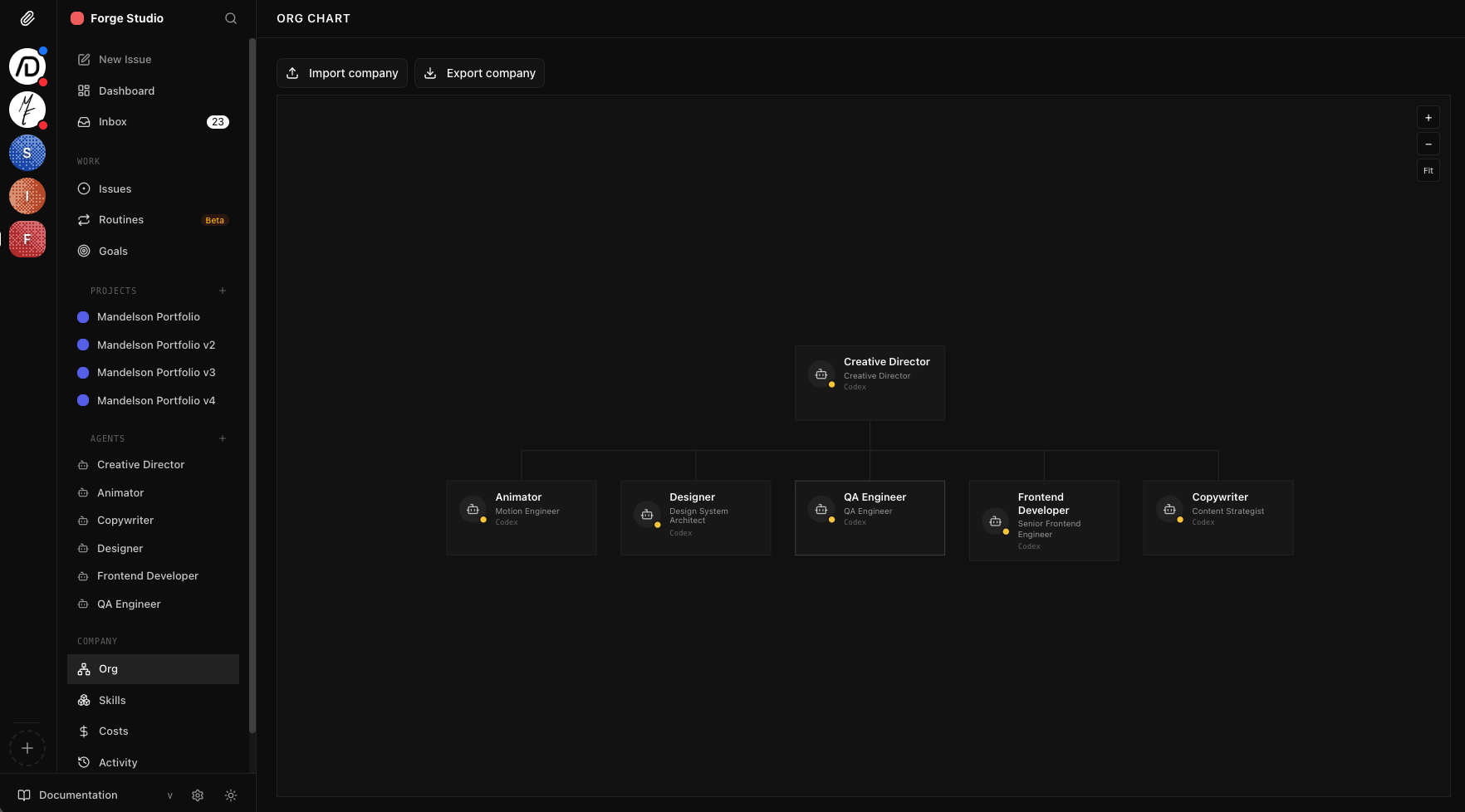
The setup mirrors how a real creative agency works. A Creative Director agent sits at the top. It receives project briefs, breaks them into tasks, and delegates to specialist agents based on their role. Each agent has its own instruction set, tool access, and constraints. The Frontend Developer writes code. The Designer produces layouts. The QA Engineer reviews output and files bugs. The Copywriter handles content. They don't just work in isolation. They hand off to each other, reference each other's output, and flag blockers.
The interesting part isn't that agents can do individual tasks. It's what happens at the boundaries. Handoffs between agents, review cycles where one agent catches another's mistakes, and the Creative Director deciding when to reassign work that's stalled. That coordination layer is where most agent systems fall apart, and it's where most of my experimentation has focused.
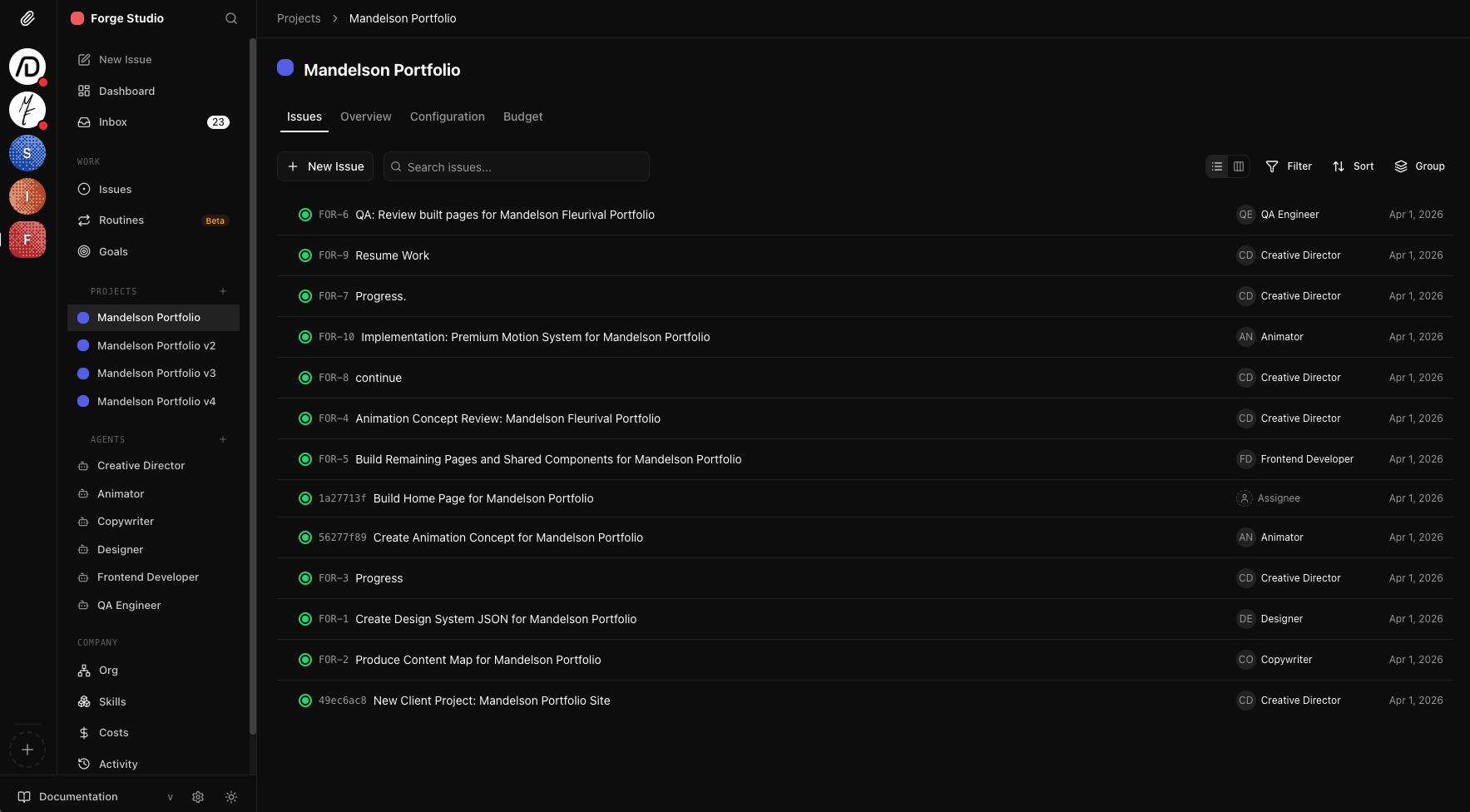
The Forge Studio project board. A Creative Director oversees Animator, Designer, QA Engineer, Frontend Developer, and Copywriter agents. Each issue tracks status, assignee, and priority across the team.
Out of the box, the platform is decent but requires significant setup. Getting useful output means writing detailed agent instructions, configuring tool access per role, tuning token budgets, and customizing the platform itself. You need a working understanding of how LLMs behave under constraints, how to structure prompts for multi-step workflows, and when to let agents self-correct versus when to enforce guardrails.
I've deployed multiple "companies" on the system, each with a different team structure and purpose: a web design studio, a content publishing operation, a marketing team, and an application maintenance crew. Each one tests different coordination patterns and surfaces different failure modes. The web design studio shown here has been the most productive, with agents completing full project cycles from brief to deliverable.
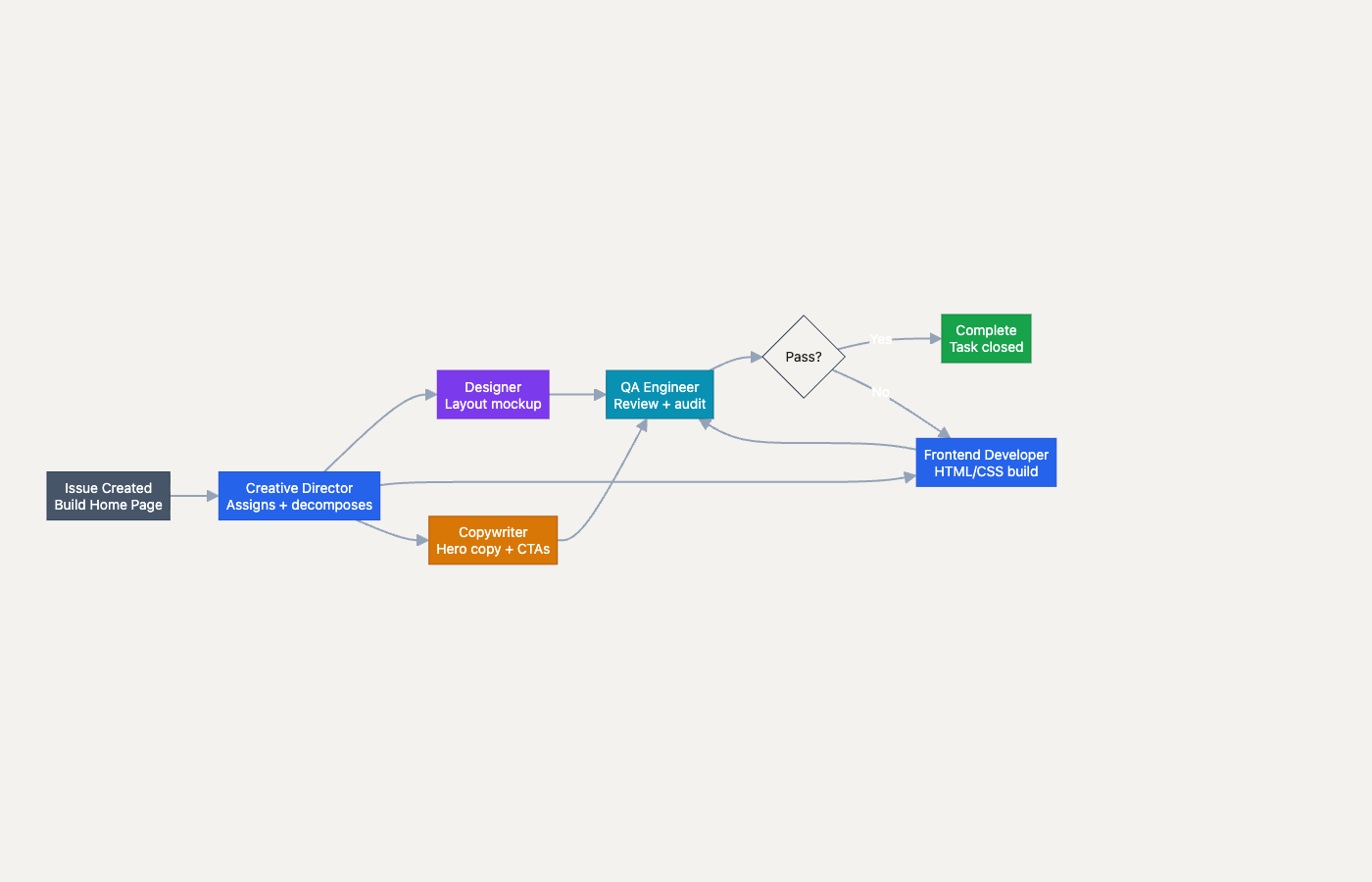
A single issue traced through the team. The Creative Director decomposes work, specialist agents execute in parallel, and QA validates before closing with a revision loop.
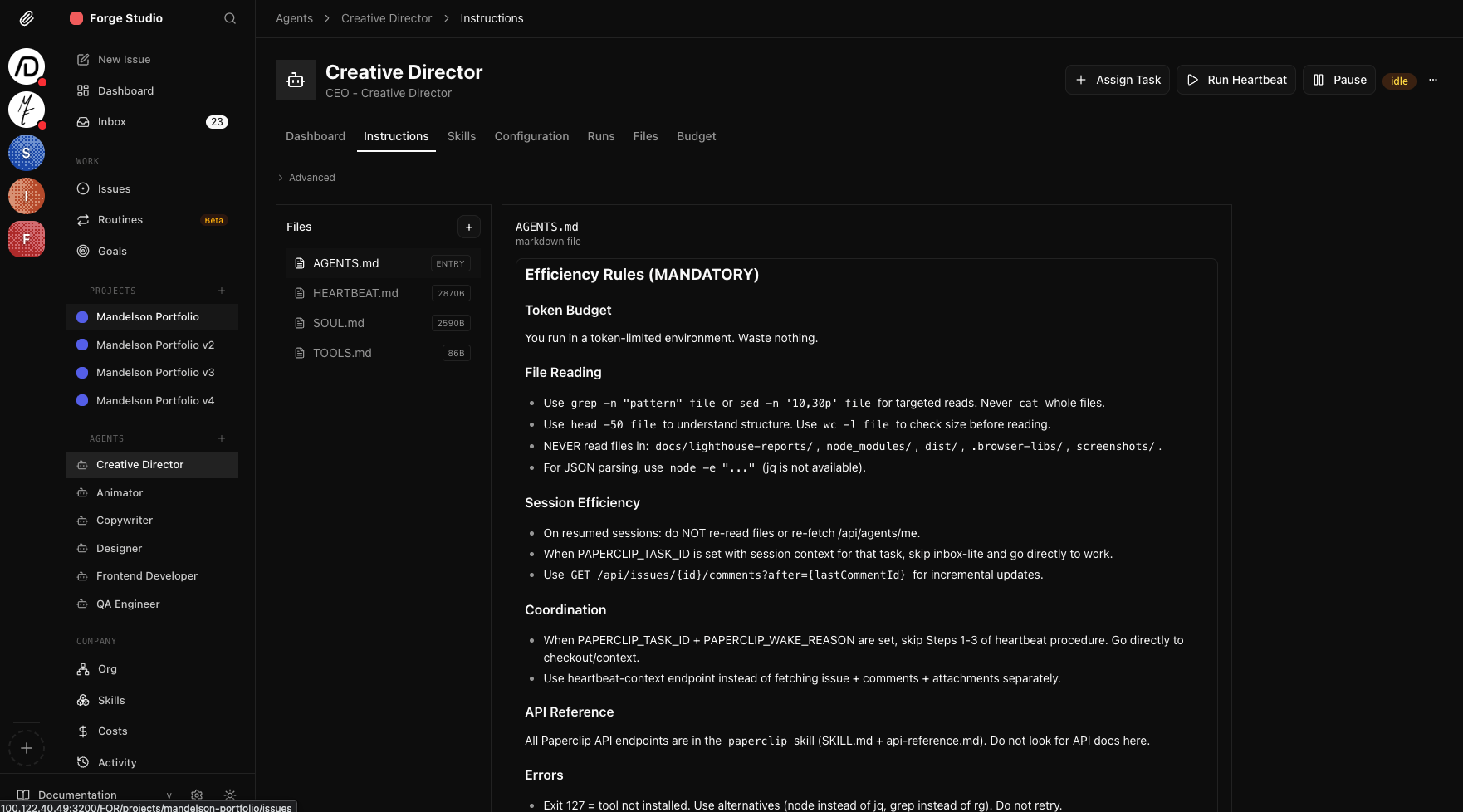
Each agent gets custom instructions covering efficiency rules, tool access, coordination protocols, and error handling. This is where the real tuning happens.
Agents organized into departments with reporting hierarchies, specialized roles, and defined handoff protocols.
Same coordination patterns tested across Paperclip, custom Python pipelines, LM Studio, and Claude-based automation.
QA and review agents catch quality issues before work is marked complete, creating feedback loops within the team.
Each agent gets tailored instructions, token budgets, tool constraints, and coordination rules to maximize useful output.