
Case Study
Nymbus
An iPhone app for the AI models you already run: chat, agents and multi-model orchestration, local or cloud
Case Study
An iPhone app for the AI models you already run: chat, agents and multi-model orchestration, local or cloud
The Problem
LM Studio changed the game for running AI models locally. No cloud bill, no data leaving your machine. But it lives on your desktop. Away from your desk, on the couch or in a meeting, you're out of luck.
The first version of Nymbus fixed exactly that. It connected my iPhone to LM Studio on my Mac and let me chat with whatever model was loaded. Streaming, model switching, system prompts. A simple client.
Then I started asking harder questions. What if the model could do things instead of just talk? What if I have more than one computer? And what about the days I want a cloud model for one job without giving up the local setup?
The Architecture
Nymbus hosts nothing. Every LM Studio instance you add is a connection: a Mac Studio at your desk, a MacBook down the hall, a Linux box with a GPU. The app tracks which models each one has loaded and how fast they run, and it can download, load and unload models remotely.
The networking layer leans on Tailscale, a mesh VPN built on WireGuard. Install it on your phone and your computers and Nymbus reaches them by their Tailscale address, through encrypted tunnels, from anywhere. No open ports, no VPN server to run.
Local-first doesn't have to mean local-only. Nymbus also speaks to OpenRouter, Requesty and Cerebras with your own keys, rotating between several keys per provider. Local and cloud models sit side by side in the same picker, so choosing one is a per-chat decision rather than a setup decision.

No Nymbus server in the middle. The phone talks to your computers through Tailscale, to cloud providers with your own keys, and to the web only when an agent asks.
Agents
Agent mode gives one model tools. It can search the web, read pages, keep a plan and write files. Every chat has its own workspace: a small file system the model can create, edit and organize, with a code editor and a live preview so an HTML page it builds opens right in the app.
The plan turned out to be the piece that matters most. The agent writes a checklist before it starts and ticks items off as it goes, and the loop only keeps running while the list is actually getting shorter. That one rule did more to stop agents from wandering than any amount of prompt wording.
Skills, rules and memories carry over between chats. Rules ride along with every request. Skills are named procedures the agent can look up when it needs them. Memories build up as you work, so the tenth chat starts smarter than the first.

The loop only keeps going while the plan's open list gets shorter.
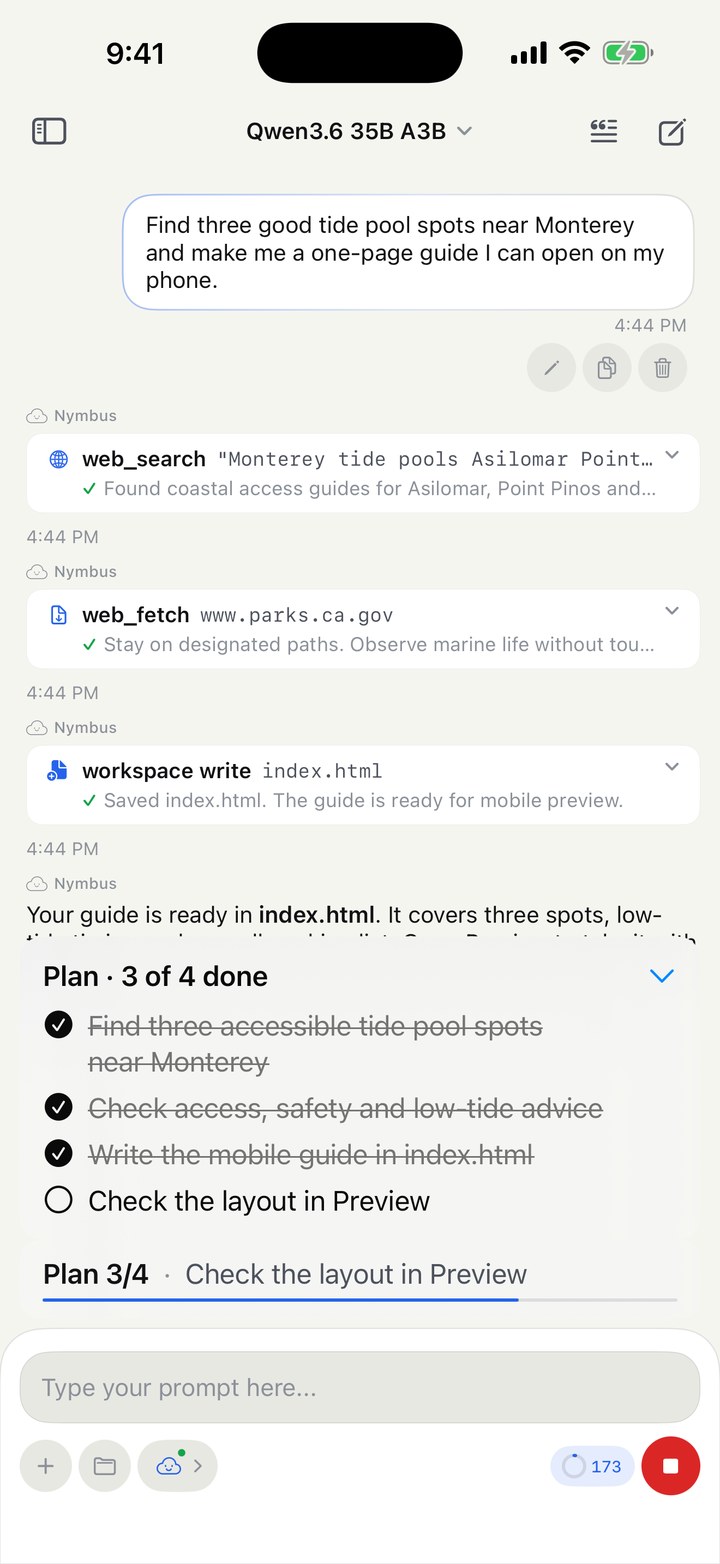
The agent searches, writes and checks off its plan
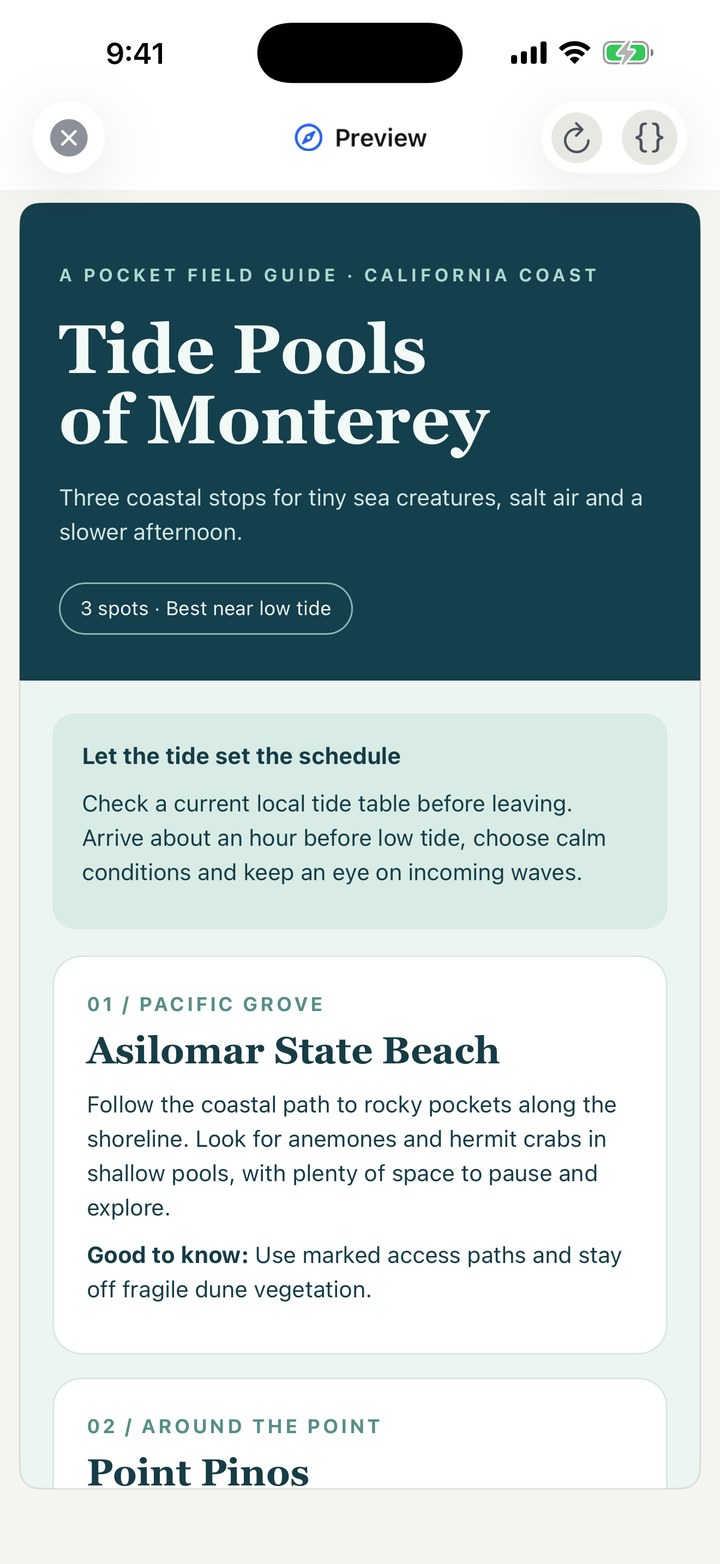
What it built, in the live preview
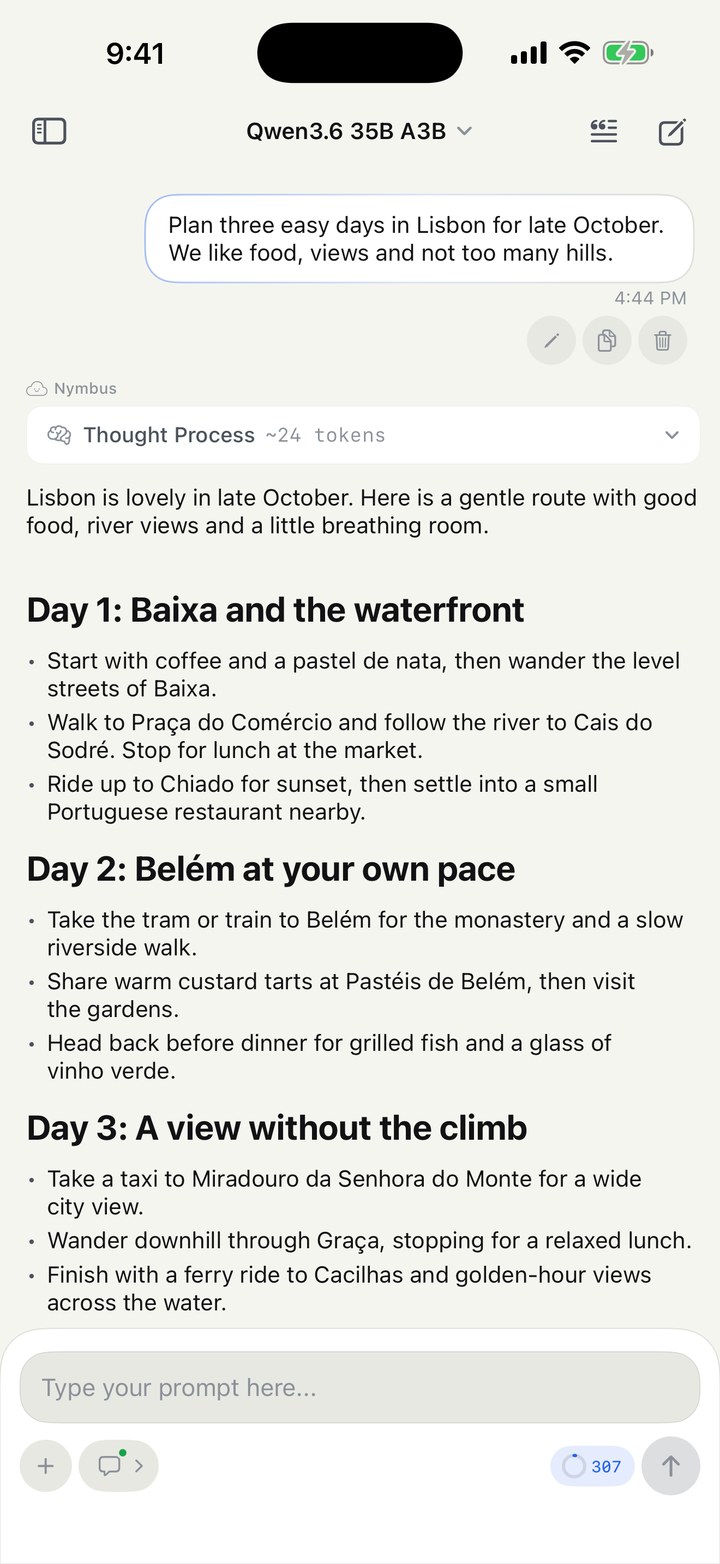
Plain chat with a local model
Orchestration
Orchestrator mode lets one model run a team. A coordinator reads your request, writes a plan, splits it into tasks and hands them to worker models, then checks their work and writes the final answer.
The first version was built for small models. It scored every worker against every task on four weighted factors, assigned personas like coder and researcher, and ran a drift detector that nudged idle workers back on task. All of it was scaffolding for models that couldn't hold a plan on their own.
Then capable 30B-class models arrived, and the scaffolding started getting in the way. I cut about 3,900 lines of it. The coordinator now works from a plan it has to write and verify first, hands tasks to workers with a role (builder, designer or reviewer), and lets workers leave notes for each other on a shared board.
The newest change came from a test that wouldn't run. I had pinned the coordinator to a GPU that happened to be offline, and the whole run refused to start. Now a pinned model that isn't answering falls back to the chat's own model and says so in the run. A worker whose model is missing uses whatever its server already has loaded, without ever loading something you didn't pick. Cloud models can be the coordinator or a worker too, and they skip the one-model-per-server rule that keeps a local machine from running out of memory.

A coordinator, three workers with roles, a shared board, and the fallbacks that keep a run going when your setup changes.
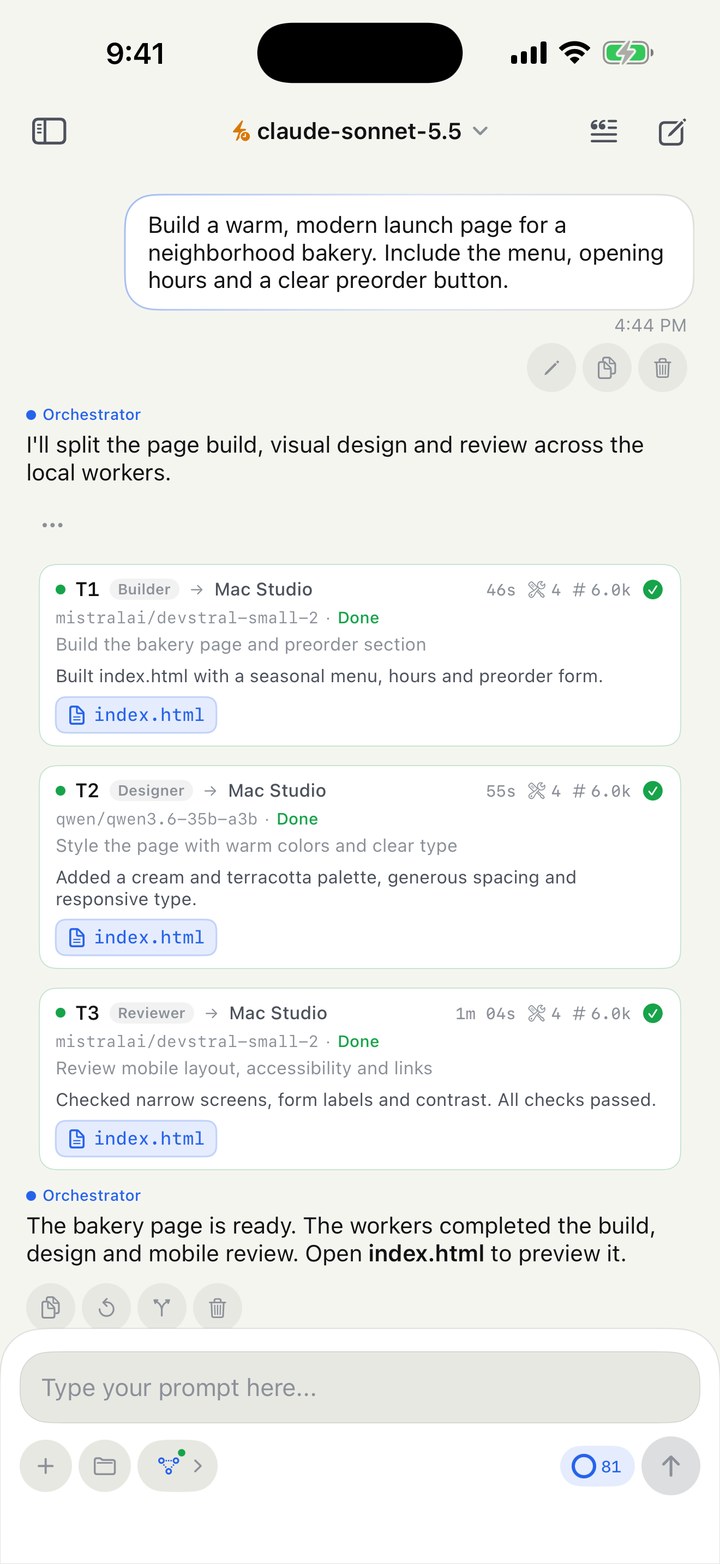
A coordinator and three workers
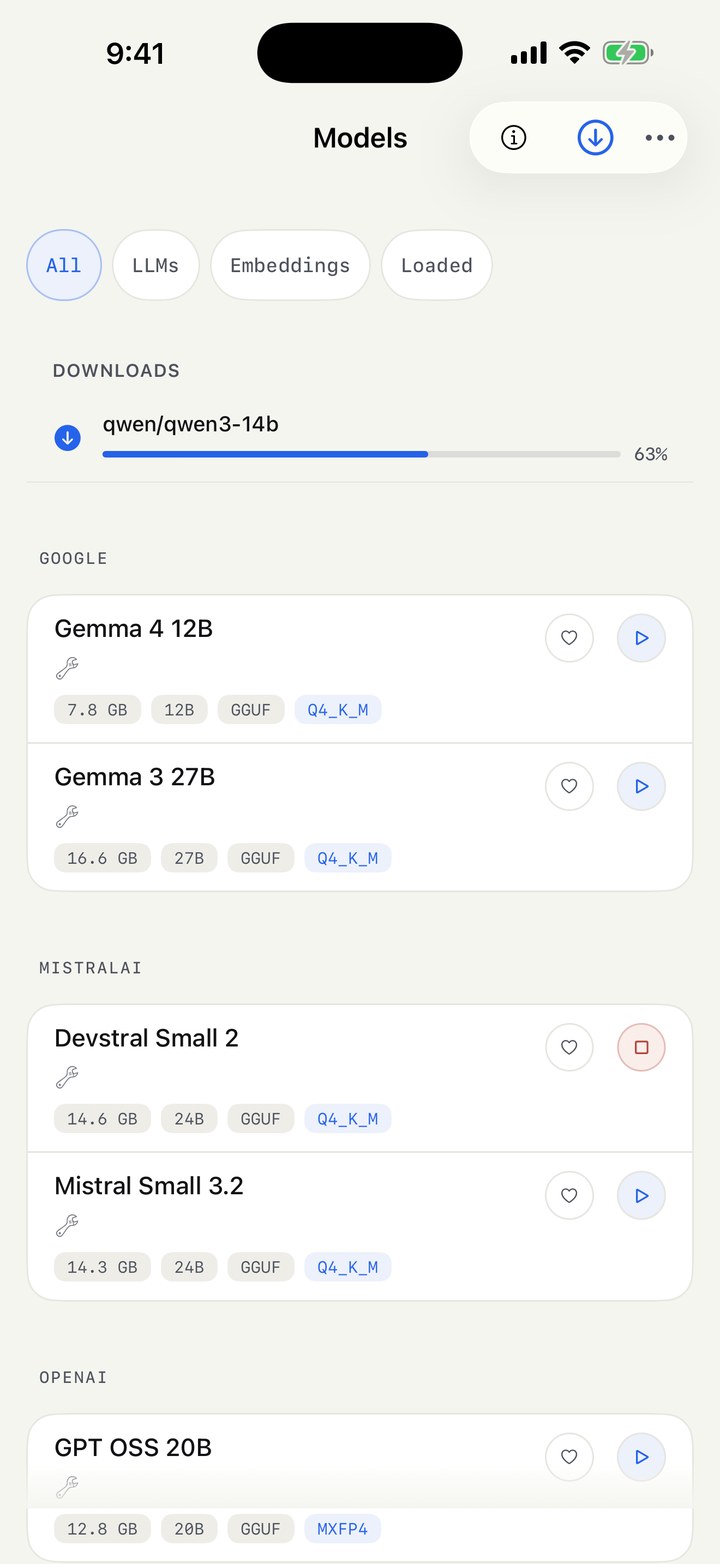
The model library, from your phone
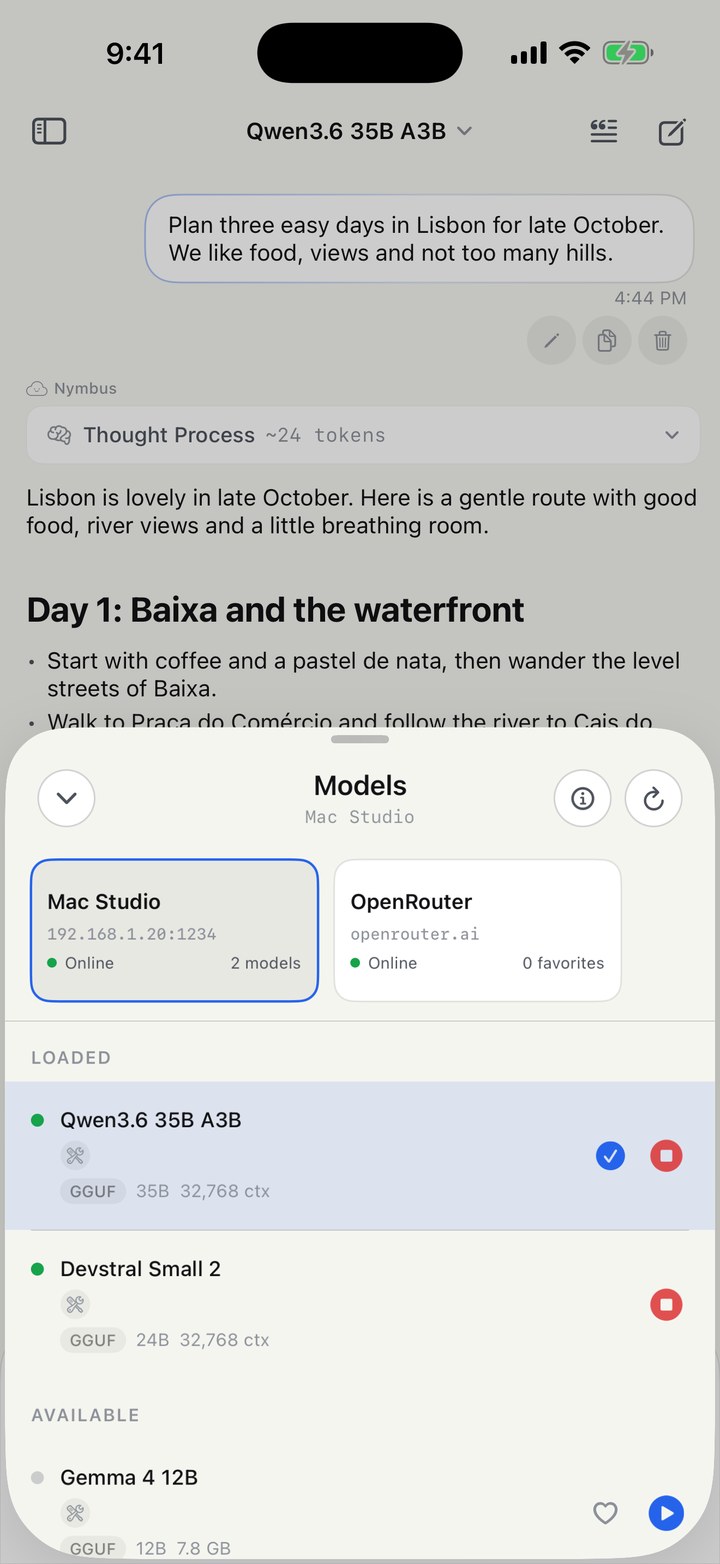
Local and cloud, side by side
What's Next
A phone is a bad place to run a long agent task. Lock the screen and iOS suspends the app. So I'm building a companion for the Mac, still unreleased, that the phone can hand a run to. It's a Go engine with a desktop shell: runs keep going while the phone sleeps, the agent gets a terminal with approval prompts, tasks can run on a schedule, and chats become searchable by meaning. The phone becomes a remote for work happening on hardware you own.
Shipping It
Getting ready for the App Store meant reading the app the way a stranger would. The welcome screen said "on-device", but no model runs on the phone, and cloud providers are an option. So the copy changed to say what's true: your models, your keys, no accounts. The first screen now offers a cloud key as well as an LM Studio address, so someone without a desktop setup isn't stuck.
The privacy story is simple because the architecture is. There's no Nymbus server and no analytics code. Chats go only where you point them, and if I ever ask for data to improve the app, it will be an export you review and send yourself, never something collected in the background.
Next Case Study
Backdraft AI →